
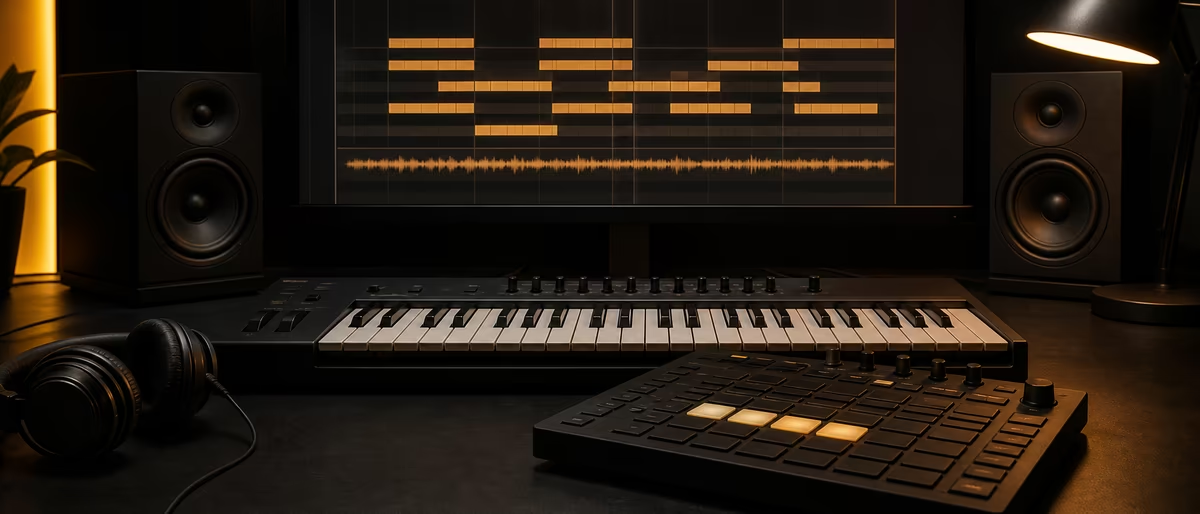
Beat structure
快速回答
Structure a beat in 8- or 16-bar blocks: intro, verse, hook (chorus), optional bridge, outro. Raise energy into the hook with layer adds, filter opens, and drum fills; create contrast with mutes, half-time, and dropouts. Label sections in the DAW and automate volume, filter, and sends so each section feels intentional.
Why Beat Structure Matters More Than Another Loop
Most unfinished projects die as 4- or 8-bar loops. Arrangement is the skill of turning that loop into a timeline an artist can write to, a client can license, or a listener can finish. Popular music already has well-documented sectional forms — verse–chorus (AB), verse–chorus–bridge (ABC), and related maps — that producers reuse as beat scaffolding[1][2].
You do not need classical theory to arrange. You need grid discipline (bars and phrases), clear section roles, and controlled energy. DAWs support this with linear timelines: Ableton’s Arrangement View is explicitly for placing elements on a song timeline; FL Studio’s Playlist is where patterns become an arrangement[3][4].
If you are brand new to full tracks, pair this guide with your first beat in 30 minutes and the broader map in song arrangement for music producers.
Think in 8- and 16-Bar Blocks
Hip-hop, trap, R&B, and most commercial electronic production treat 8 bars as the default phrase length and 16 bars as a full section (two phrases). Artists write verses and hooks to those grids; if your section is 11 bars long by accident, vocals and ad-libs will fight the form.
Build every idea as a reusable block first: drum loop, bass loop, melody loop, texture loop. Then copy blocks into the arrangement and change density — not the chord progression every four bars. Stability is what makes the hook feel like home.
- 4 bars Micro-phrase — good for intros, turnarounds, breakdowns, and pre-hooks. Too short as a full verse for most rap.
- 8 bars Default beat phrase. One solid 8-bar idea can power an entire track if you vary layers.
- 16 bars Full verse or full hook in many rap and pop maps. Two 8-bar ideas (A then A′, or A then B) keep long sections alive.
- 32 bars Extended verse or double hook. Use sparingly unless the genre expects long storytelling (some boom-bap, R&B, or live-band sessions).
Mark the grid before you paint clips
In FL Studio, place playlist time markers at section starts (intro, verse 1, hook, and so on) so you can jump and paste blocks cleanly[4]. In Ableton, use locators on the Arrangement timeline the same way while you zoom the overview[3]. Naming markers forces you to decide structure instead of “loop forever and hope.”
Intro, Verse, Hook, Bridge, Outro — Producer Roles
In popular form, the chorus (hook) is usually the high-contrast payoff: more activity, stronger dynamics, often denser arrangement than the verse[2]. The bridge is a contrasting section that resets listener attention before the final return of main material[5]. Map those roles onto beat elements — not only lyrics.
- Intro (4–16 bars) Establish key, tempo, and mood with 1–3 elements: motif, filtered drums, or ambient pad. Leave headroom for a vocal entry or a drop into verse 1.
- Verse (usually 16 bars) Support storytelling. Keep midrange clear for vocals: lighter hats, fewer melodic layers, controlled low end. Energy should sit under the hook.
- Hook / chorus (8–16 bars) Maximum identity. Full drums, open filters, counter-melodies, risers into the downbeat. The beat should still leave a pocket for the catch phrase.
- Bridge / break (8–16 bars) Contrast — half-time drums, stripped bass, new chord color, or a pure atmosphere bed. Prepare the final hook; do not compete with it.
- Outro (4–16 bars) Exit with intention: strip layers, low-pass the mix, or freeze a loop and fade. Avoid an abrupt hard stop unless the genre wants it (some drill and club edits).
A practical beat map (≈ 2–3 minutes)
Common producer map at ~140 BPM: 8 intro → 16 verse → 8 hook → 16 verse → 8 hook → 8 bridge → 8–16 final hook → 8 outro. That is verse–chorus form with a bridge, the ABC-style layout widely used in modern commercial songs[1][2]. Adjust bar counts to taste; keep phrases on 4/8 boundaries.
Energy Automation: How Sections Feel Different
Structure on paper means nothing if verse and hook sound identical. Energy is controlled by layer count, frequency range, rhythmic density, and automation. In Ableton, practically all mixer and device parameters can be automated as breakpoint envelopes on the Arrangement timeline[6]. Other DAWs use the same idea: draw volume, filter cutoff, reverb send, and bus saturation so the hook blooms.
- Freeze a reference hierarchy
Decide levels: intro = thin, verse = medium, hook = full, bridge = alternate thin/mid. Write it on markers. - Automate filter and volume on key buses
Low-pass melodic bus in the verse; open to 20 kHz into the hook. Slight drum-bus gain lift into hook downbeats (careful with clipping). - Change hat and percussion density
8ths in verses, 16ths or rolls only into hooks and last two bars of phrases. Silence is an arrangement tool. - Widen the hook, mono the verse low end
Keep sub mono; add stereo ear candy (pads, FX, ad-lib beds) mainly on hooks so the chorus “opens” in headphones. - Ride sends, not only faders
Push delay/reverb sends on the last bar before a drop, then cut them on the hook downbeat for clarity.
For deeper automation workflows in Live, see Ableton’s envelope docs[6]. For harmonic motion that still fits 8-bar blocks, pair arrangement with chord progressions for producers.
Drop and Mute Tricks That Sell the Section Change
Producers often arrange by subtraction: remove one layer so the next entrance hits harder. These moves are cheap, fast, and more reliable than adding five new synths.
- Kick / snare mute (1–2 beats) Silence drums just before a hook downbeat. The return of the groove feels like a drop even in non-EDM genres.
- Bass dropout Cut 808 or bass for half a bar into the hook, then re-enter with a pitch slide or new root note.
- Melody strip / filter sweep Mute the lead for 4 bars of a pre-hook, or sweep a low-pass closed → open across 1–2 bars into the chorus.
- Half-time switch On the bridge, program snare on beat 3 only and double 808 note length. Contrast without new samples.
- One-shot punctuation Impact, reverse cymbal, or riser only on section boundaries. Overusing FX flattens drama — reserve them for phrase edges.
- Call-and-response bars Leave bars 7–8 of an 8-bar phrase thinner so the next phrase’s downbeat can answer.
Pre-hook (4 or 8 bars) is optional but powerful
A short pre-hook raises tension without yet delivering the full hook: snare rolls, rising filter, vocal chops, or a new chord inversion. In many commercial maps this sits between verse and chorus as a setup section[2]. If your hook never “hits,” add a deliberate 4-bar climb rather than stacking more instruments on bar 1.
Genre Differences: Same Blocks, Different Emphasis
Bar math stays similar; what changes is which section gets the longest spotlight and how dense the drums are. Use the table as a starting map, then listen to reference tracks in your target lane and count sections out loud.
| Genre / style | Typical section focus | Energy signature | Arrangement note |
|---|---|---|---|
| Trap / type beat | 16-bar verses, 8-bar hooks | Hat rolls and 808 slides into hook | Leave midrange open for vocals; mutes before hook |
| Drill | Short loops, stark breaks | Sliding 808 + sparse hats | Hard cuts and tension; hooks can stay minimal |
| House / club | 16–32 bar phrases | Filter rides, percussion layers | Longer builds; DJ-friendly intros/outros |
| Drum & bass | 16-bar sections, big drop | Amen/break energy + bass change | Clear “switch” into drop; breakdowns matter |
| R&B / soul beat | Verse storytelling, lush hooks | Chord and texture lifts | Space for melisma; soft transitions |
| Lo-fi / chill | Repetitive loops, soft A/B | Texture and saturation moves | Subtle mutes; avoid aggressive FX walls |
For trap-specific drum and 808 habits, see how to make trap beats. For foundational production vocabulary around form and sections, start with music production for beginners.
From Loop to Full Beat: A Repeatable Workflow
- Lock the 8-bar core
Drums + bass + one melodic hook that can loop without boredom. Export a bounce for phone tests. - Name sections on the timeline
Intro, V1, Hook, V2, Hook, Bridge, Final Hook, Outro. Adjust lengths to 4/8/16 only. - Paste the core under every section
Duplicate first; subtract or add after. Never rebuild the groove from scratch per section. - Design contrast layers
One “verse bed,” one “hook stack,” one “bridge alternate.” Mute lanes by section rather than rewriting MIDI. - Add transitions only at boundaries
Fills, risers, reverse tails in the last 1–2 bars of a phrase. Delete any FX that sit mid-phrase without a reason. - Automate energy last
Filter, sends, drum bus ride. Bounce a rough mix and listen once without looking at the screen. - Leave vocal real estate
If the beat is for sale or collab, print a tagged mix and optionally a less-busy instrumental version of verses.
Need one-shots and loops to flesh sections without redesigning every sound? Browse free verified kits and packs under /libraries/samples, and compare raw materials in samples vs loops vs one-shots and free drum kits.
Common Arrangement Mistakes
- Everything on all the time If every fader is up for 2:30, there is no hook. Schedule mutes as deliberately as notes.
- Odd bar lengths by accident A 9-bar verse confuses artists. Snap to 4/8/16 unless you are writing progressive or free-form music on purpose.
- New idea every 4 bars Listeners need repetition to learn the hook. Develop one motif; change clothing (layers), not identity.
- No intro / no outro DJs, video editors, and playlist curators need handles. Even 4 bars of filtered drums help.
- Hook weaker than verse If the verse is busier than the chorus, reverse the layer count. Form expects chorus emphasis in verse–chorus writing[2].
- Ignoring mono / small-speaker checks Arrangement that only works in huge headphones fails on phones. Check section contrast on a phone speaker.
Fill your intro, verse, and hook with free verified one-shots and loops from Plugg Supply sample libraries.
Learning path
相关答案中心
常见问题
- How should a beat be structured?
- Use 8- or 16-bar blocks with intro, verse, hook (chorus), optional bridge, and outro. Raise density and brightness into the hook; use mutes and dropouts for contrast. Label sections in your DAW and automate filters, volume, and sends so each part has a job.
- How many bars should a verse and hook be?
- Common producer practice: 16-bar verses and 8- or 16-bar hooks, always on 4/8-bar boundaries. Intro, bridge, and outro often sit at 4–16 bars. Match the artist’s reference track if they write longer or shorter.
- What is the difference between a hook and a chorus in beats?
- In popular form the chorus is the recurring high-energy section with the main melodic/lyrical payoff[2]. Beatmakers often call that section the hook whether or not vocals exist yet — it is the part you want stuck in the listener’s head.
- Do I need a bridge in every beat?
- No. Bridges add contrast before a final return of the main material[5]. Short type beats and loops can run intro–verse–hook–verse–hook–outro. Add a bridge when two hooks in a row feel stale.
- How do I make the drop or hook hit harder?
- Subtract before you add: mute drums or bass for 1–2 beats, close a filter, then open everything on the downbeat. Support with a short riser or snare roll only in the last bar of the previous phrase, and keep the hook’s midrange cleaner than the buildup.
- Should I arrange in Session View or Arrangement View (Ableton)?
- Session View is for looping and sketching; Arrangement View is the linear timeline for a finished song structure[3]. Sketch loops in Session if you like, then commit sections to Arrangement with locators and automation.
- How long should a finished beat be for selling or collabs?
- Long enough for intro + at least two verse/hook cycles and a clean outro — often roughly two to three minutes depending on tempo. Prioritize clear sections and vocal space over exact duration; artists will cut or loop to fit lyrics.